
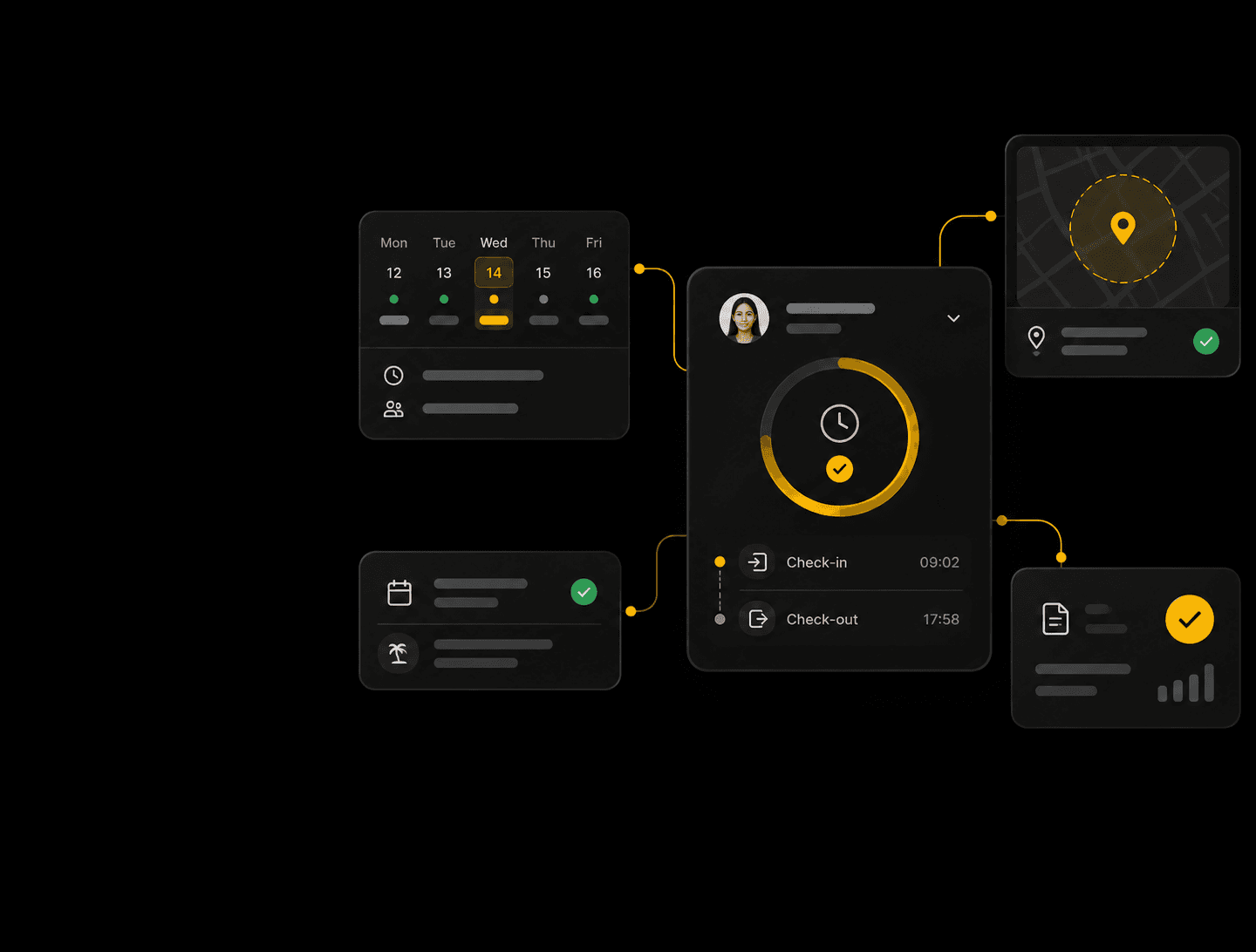
Every punch, shift and
leave accurate and
payroll-ready
Biometric, mobile app and geo-fenced punches, leave based on your rules and a locked, payroll-ready month.
One connected workflow,from attendance to payroll
Attendance, shifts, leave and approvals in one flow — nothing to reconcile at month end.
Capture attendance, anywhere
Web, mobile app, biometric or geo-fenced.
Plan every shift with clarity
Rosters, rotations, night and flexi shifts.
Apply policies consistently
Grace, late marks, overtime, regularisation.
Manage leave your way
Accruals, half days, state holidays.
Approve with complete context
Multi-level, with delegation and escalation.
Close payroll with confidence
Locked month, clean LOP to payroll.
- 01
Capture attendance, anywhere
Web, mobile app, biometric or geo-fenced.
- 02
Plan every shift with clarity
Rosters, rotations, night and flexi shifts.
- 03
Apply policies consistently
Grace, late marks, overtime, regularisation.
- 04
Manage leave your way
Accruals, half days, state holidays.
- 05
Approve with complete context
Multi-level, with delegation and escalation.
- 06
Close payroll with confidence
Locked month, clean LOP to payroll.
From the first punchto a payroll-ready month
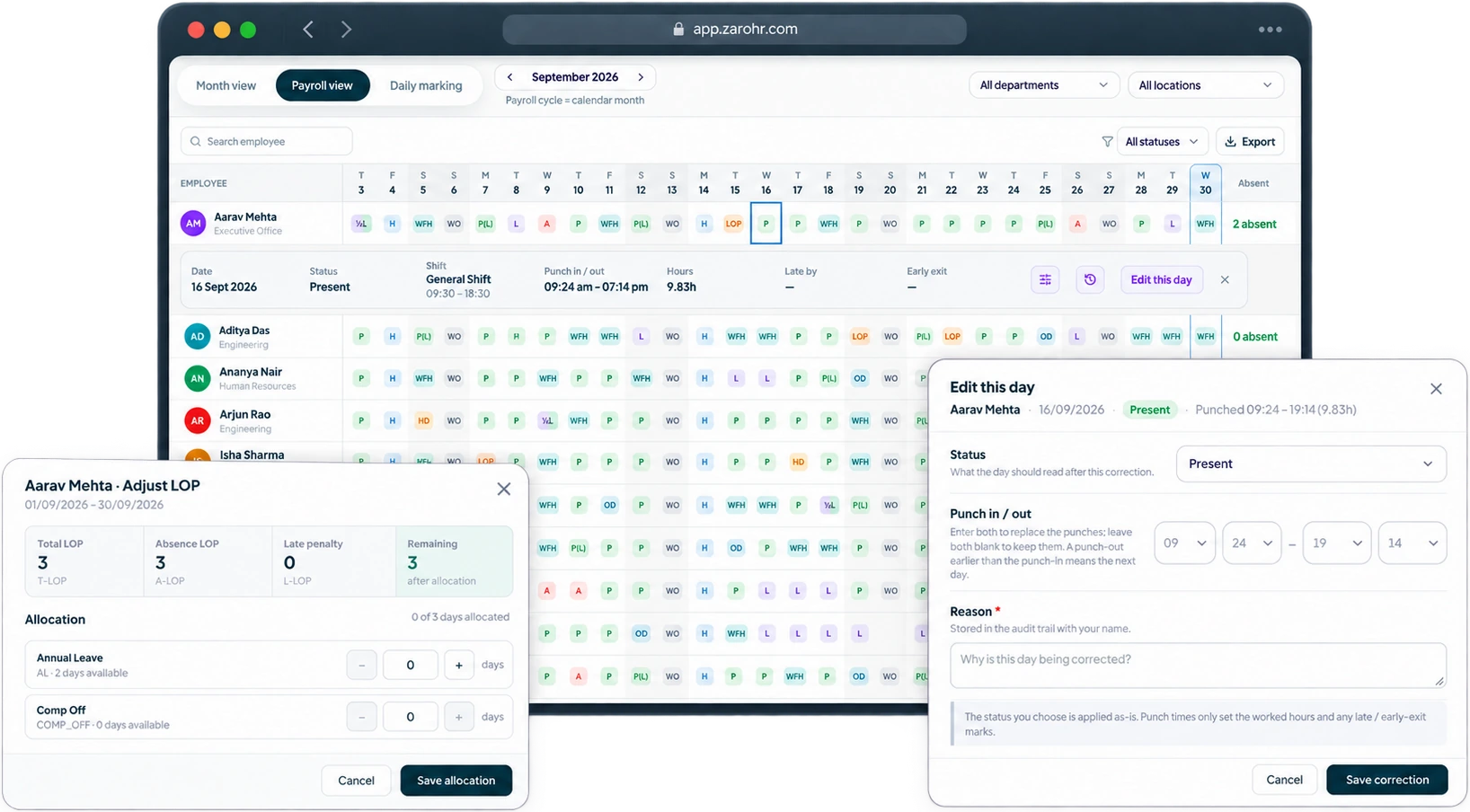
Your entire workforce,visible in one place
Attendance, leave and balances for everyone on one grid.
- Filter by present, absent, leave, WFH or needs attention.
- Excel import for corrections, Excel export for reports.
- Every correction keeps its reason and audit trail.
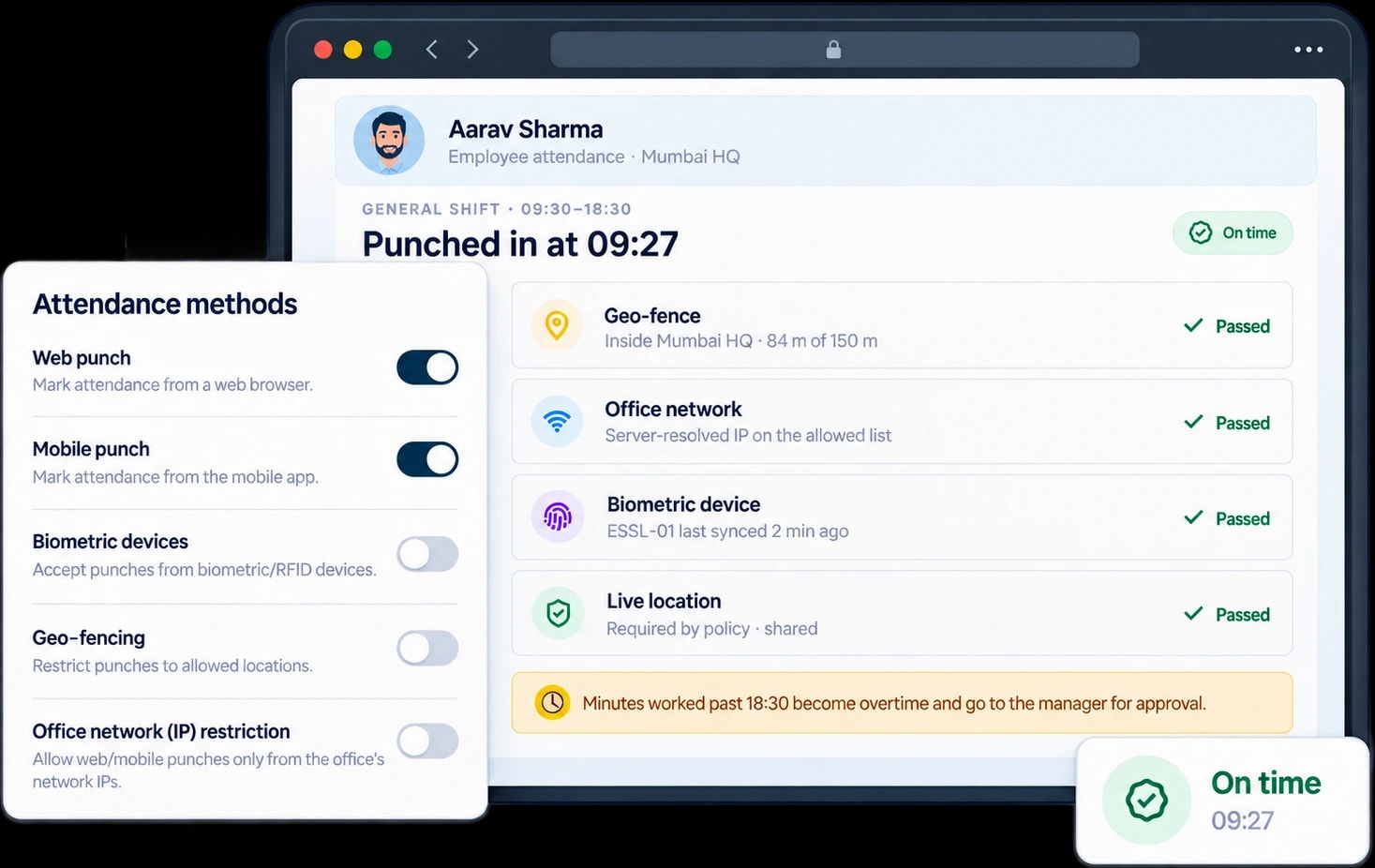
Every punch verifiedbefore it becomes attendance
Every punch is checked against shift, location, network and device on the server.
- Geo-fence per location with live-location check.
- Web, mobile app, biometric or office-network punch.
- Alerts for late arrivals, early exits and missed punches.
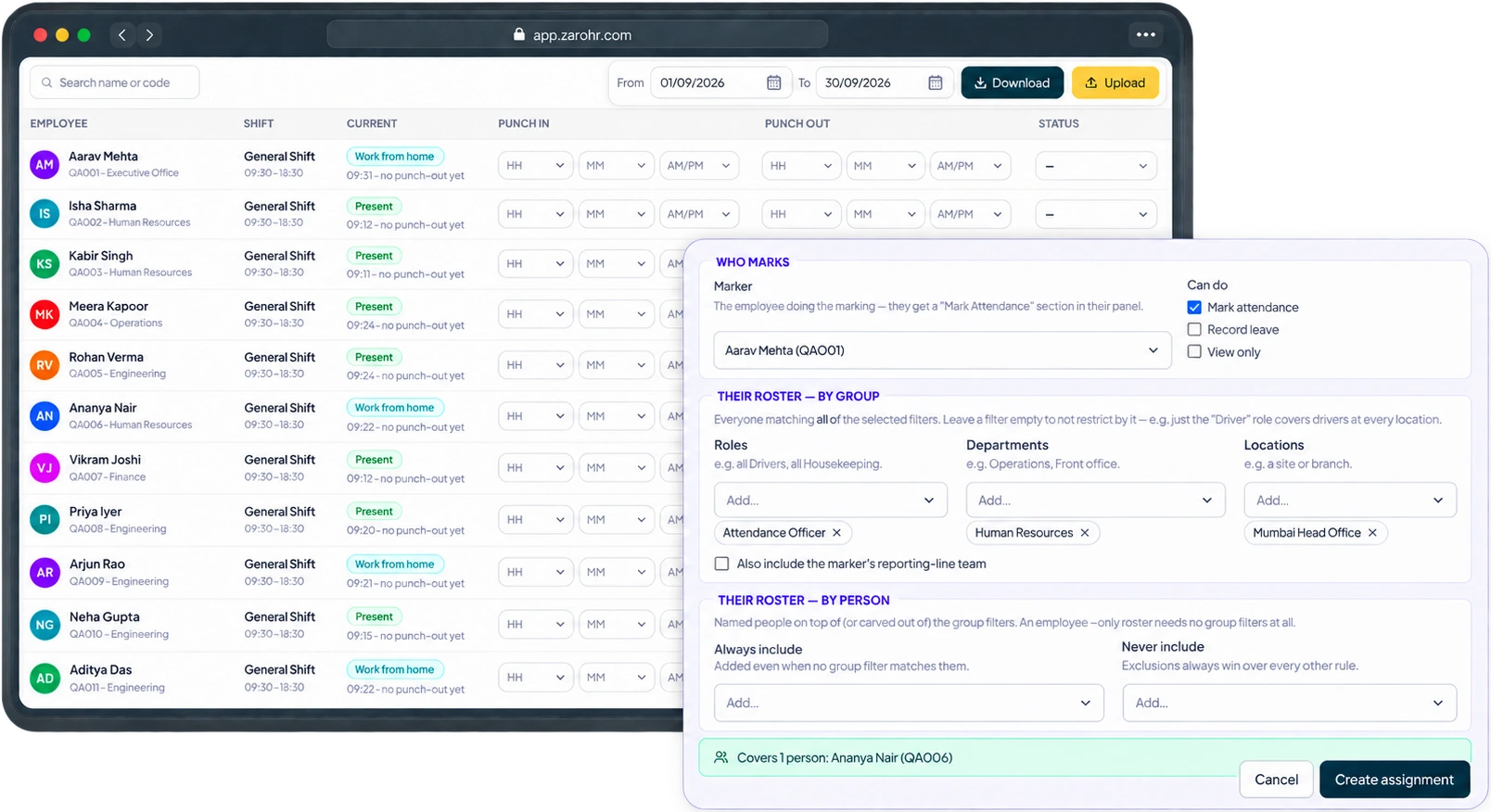
No biometric on site?Delegate the marking
For schools, clinics, branches and factory floors — a supervisor marks attendance for their staff.
- Rosters by location, department or designation.
- Backdate limits and alerts for unmarked rosters.
- Fill the muster offline in Excel and upload.
Simple for employeesInformed for approvers
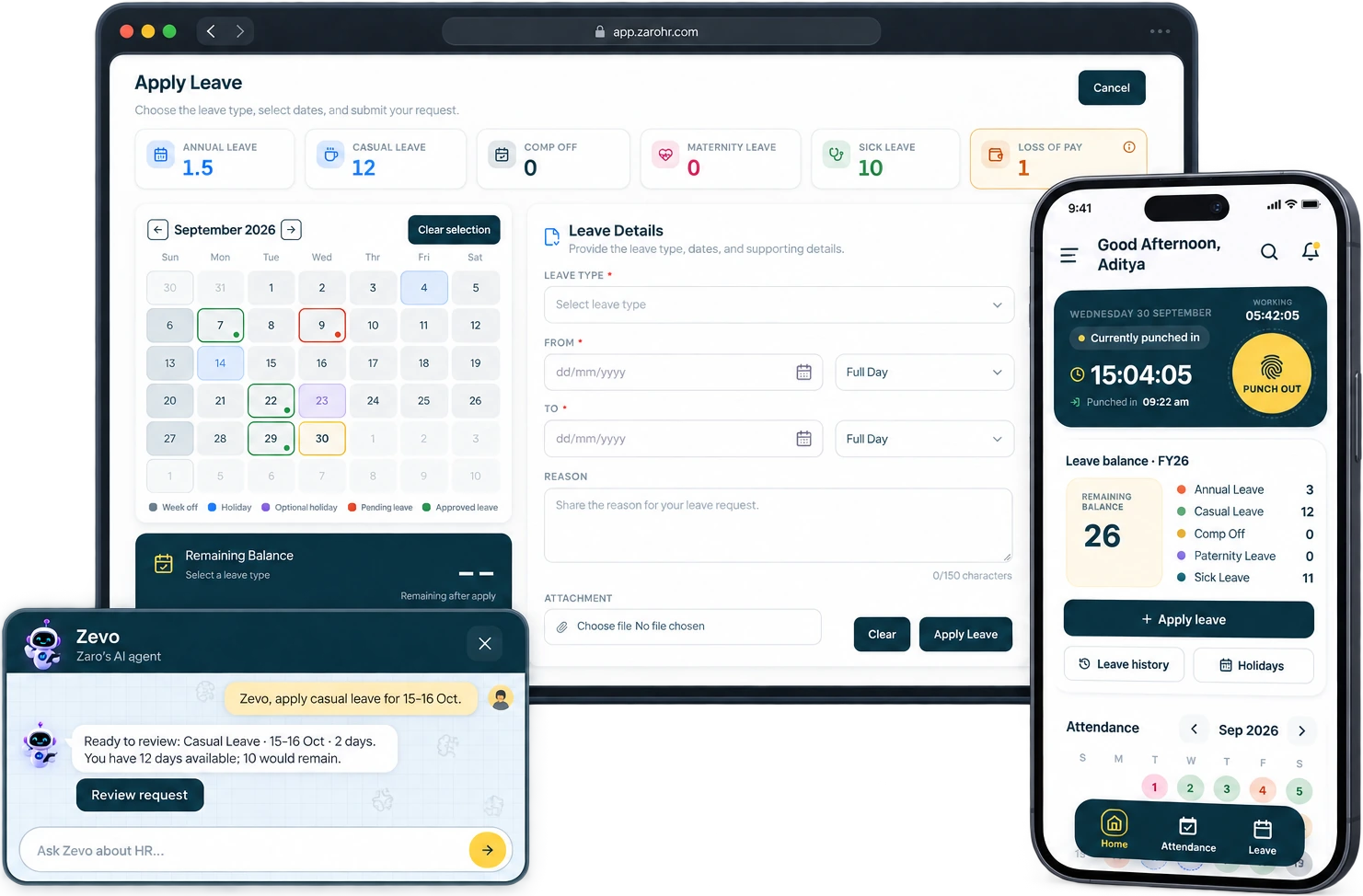
Apply from the portal, the mobile app, or ask Zevo, the ZaroHR AI assistant. Balance and policy are checked before it reaches the approver.
- Probation and notice-period leave rules.
- Balance ledger for every credit and debit.
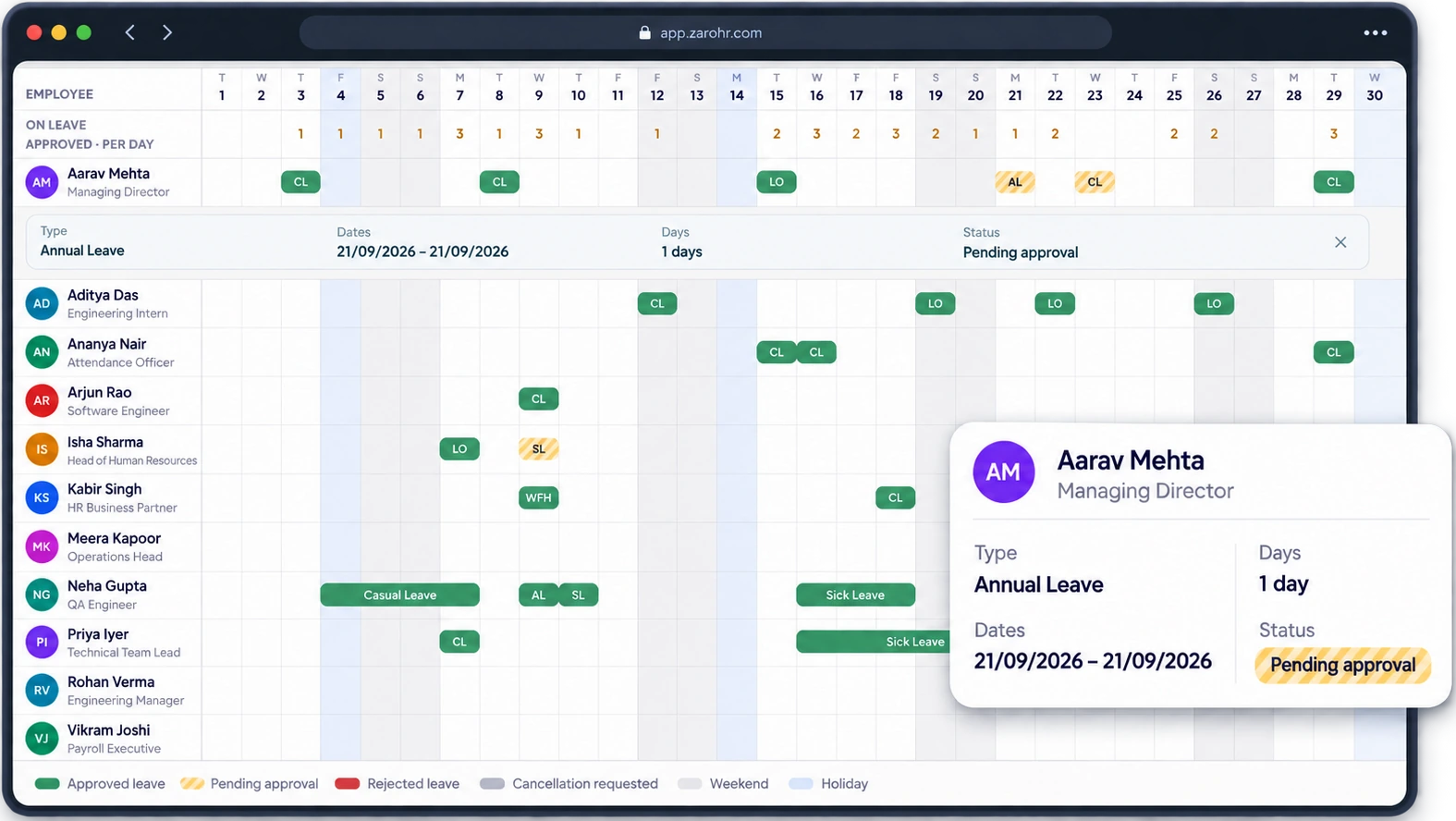
See who’s awaybefore you approve
Get a view of your team’s leave, WFH and on-duty days.
- Approved and pending requests on one grid.
- Company holidays marked on the grid.
- Daily count of who is on leave.
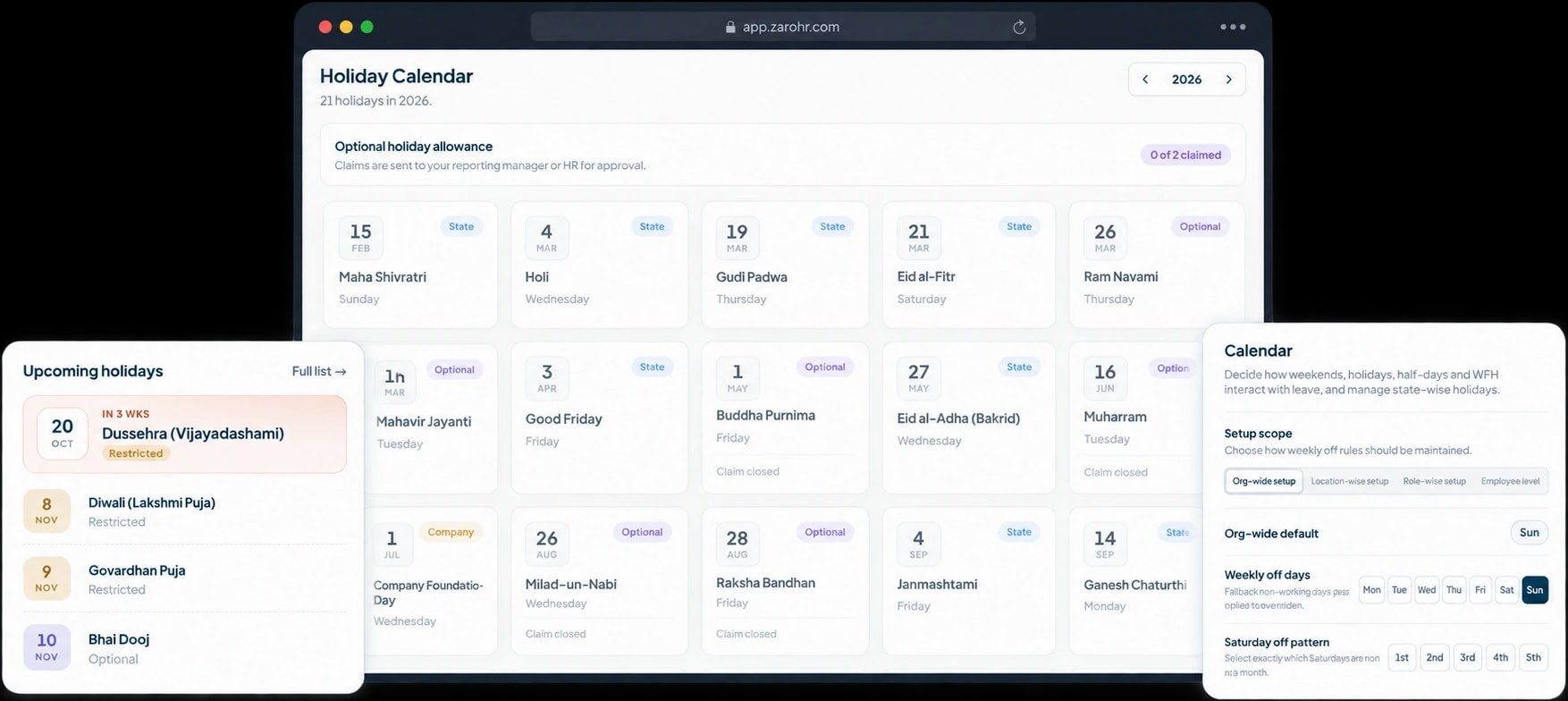
Holidays by state,uploaded in one go
Load every state’s holiday list from Excel. Each employee sees only their own state’s holidays.
- National, state, company and restricted holiday types.
- Optional holidays with a yearly quota per employee.
- Week-offs managed org-wide or by location, role or employee.
Leave and attendance FAQs
What is leave and attendance management software?
Leave and attendance management software brings employee punches, shifts, holidays and time off into one record. ZaroHR applies configured policies, routes requests for approval and prepares a reviewed, locked attendance period for payroll. HR can manage attendance and leave together instead of reconciling separate spreadsheets.
How does ZaroHR manage employee leave policies?
ZaroHR lets HR configure each leave type with its own accrual frequency, balance, carry-forward rules, supporting attachments and approval chain. Policies can include half days, optional holidays, compensatory leave and restrictions during probation or notice periods. Requests are checked against the configured policy and available balance.
How does ZaroHR record attendance, enable geo-fencing, and help HR manage attendance across departments and locations?
ZaroHR's Leave & Attendance module is a comprehensive attendance management software that records attendance through web punches, mobile punches, and supported biometric devices. HR can configure location-specific punch methods, office-IP checks, and geo-fencing rules through its geofencing attendance app capabilities. Attendance records are centrally available alongside shifts, working hours, and approved leave. HR can also manage attendance across departments and office locations from a unified dashboard, with filters, reports, and exports for attendance, leave, and loss-of-pay tracking.
Can ZaroHR manage shift scheduling, shift swaps, and flexible leave policies such as half-day, compensatory leave, and work-from-home?
Yes, ZaroHR's shift management software supports night shift attendance, rotating shifts, roster planning, and manager-approved employee shift swap requests. HR can assign shifts in bulk, configure week-off patterns, and manage location-specific holiday calendars. Its integrated leave management system supports half day leave, compensatory leave, optional holiday, work-from-home policies, and on-duty request workflows. HR can configure eligibility rules, approval hierarchies, and leave balances to automate policy-driven approvals.
How does ZaroHR prepare loss-of-pay (LOP) information for payroll processing, and can attendance records be changed after payroll month close?
ZaroHR's attendance management software automatically calculates loss of pay (LOP), including LOP attendance, overtime, leave balances, and other attendance-related adjustments to generate accurate payroll attendance reports. HR can review and finalize unpaid absence and LOP calculations before applying a payroll period lock or attendance month close. Any changes after closure follow a controlled unlock, correction, and re-lock process, with all updates recorded in the attendance audit trail for complete transparency and compliance.
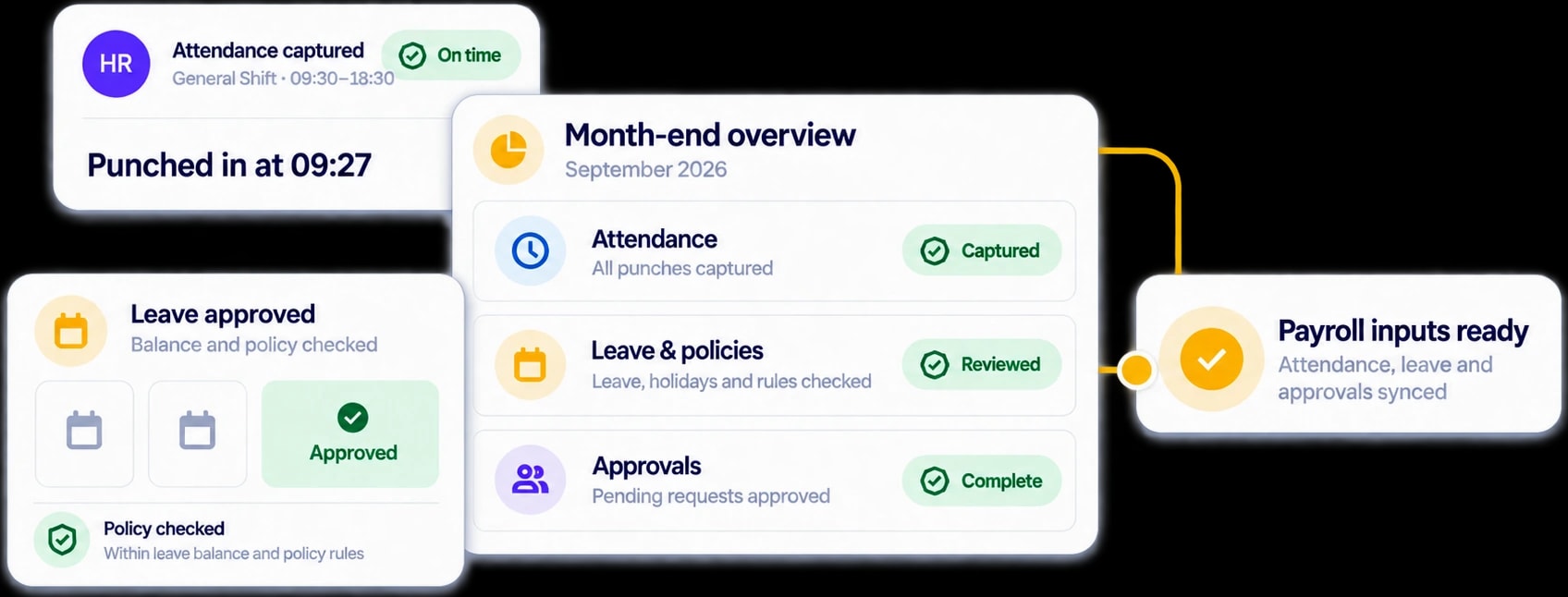
Make every month-endaccurate and on time
See how ZaroHR connects attendance capture, shifts, leave policies, approvals and payroll inputs in one 15-minute product walkthrough.